
LEGO® Bluey
StoryToysEducational
4.4170.00 Reviews
- Version
- 7.1.1
- Installs
- 5.00M
- Age Rating
- Everyone
Screenshots

Our Review of LEGO® Bluey
 Analysis by Appyee
On a shared tablet, a game can become part of the small gaps in a family day: a child asks for a few minutes of play while dinner is being prepared, or siblings take turns after school. That is the kind of setting where LEGO® Bluey makes immediate sense. It brings the familiar Bluey world together with LEGO-style creative play, so children can move between making things and exploring rather than being asked to master a complicated system first.
I see its strongest appeal in households where Bluey is already a shared interest. A younger player can enjoy the characters and scenes, while an adult can help turn a quick visit into a little make-believe session: choose an idea, build around it, and talk through what the characters might do next. It works best as a prompt for play, not as a replacement for a parent, sibling, or friend joining in.
Why it suits short household play sessions
The combination of familiar characters and construction gives children an easy way into the game. They do not need to arrive with a plan for what to make; the Bluey setting can spark one. On a busy afternoon, I would use it as a short creative break, then invite the child to describe or continue the scene away from the screen. That simple handoff makes the play feel less like passive viewing and more like shared pretend play.
For siblings sharing one device, taking turns can work better than trying to direct the game together. One child can decide what to build or where to explore, and the next can add their own idea. This keeps the activity social without assuming that the game itself provides a particular family or multiplayer arrangement. If the children have different ages or patience levels, agreeing on a turn before opening the game can also prevent the usual dispute over who gets to choose first.
What to agree on before handing over the device
I would treat the first session as a chance for an adult and child to look around together. That gives the adult a feel for the menus and activities, while the child can point out the parts that catch their attention. It is also a practical moment to agree on ordinary household boundaries: how long the device is available, whether sound should be on, and who gets the next turn. Those choices belong to the family rather than being something I would assume the game manages for you.
The game is free to start, with optional in-app purchases priced from $4.99 to $39.99 per item. For a shared device, I would check purchase settings before letting a child explore alone and explain that an appealing item on screen is not automatically part of the free experience. That small bit of preparation is more useful than discovering a purchase prompt during a rushed handover. I would also avoid promising a particular amount of content before playing; the sensible approach is to try the available experience first and decide whether any paid option is worthwhile for your household.
Age, trust, and choosing the right kind of game
It is rated Everyone, which makes it an approachable option to consider for a broad family audience, but an age label is not a substitute for knowing a particular child. Some children are happy to explore at their own pace; others may want help understanding what to do or may be more interested in watching a familiar character than building. I would sit with a younger player at first, especially on a shared device, and see whether the controls and choices feel comfortable for them.
StoryToys develops the game, and its educational classification points toward play with a learning angle rather than a purely competitive challenge. I would still describe the value in modest terms: the useful part is the invitation to make choices, try ideas, and use imagination, not a promise that the game will teach a specific subject. If your child mainly wants open-ended construction without characters or guided activities, a general building game may suit them better. If they want a more structured lesson, a dedicated educational app is likely the clearer fit.
Where it sits beside other Bluey and building games
Compared with simply watching an episode, this game gives a child a more active role: they can engage with a scene and use building as a reason to invent what happens next. Compared with a broad construction sandbox, the Bluey setting offers a familiar starting point, which can be helpful for a child who finds a blank canvas hard to approach. The trade-off is that a branded world naturally narrows the imaginative frame compared with a game that offers a wider range of themes and tools.
That makes it a better fit for a Bluey fan who enjoys playful, guided inspiration than for someone seeking a deep building simulator, a competitive game, or a focused academic activity. It is also worth distinguishing screen play from physical LEGO: digital building is convenient and tidy, but it does not give children the tactile experience of handling real bricks. I would choose between them based on what the child wants in that moment, rather than expecting one to replace the other.
Getting Started with LEGO® Bluey
First things first, downloading the app was a breeze. Whether you're an Android or iOS user, you can grab it from your respective app store. Once installed, you're greeted with a friendly interface that invites you to dive into Bluey’s world. The app is intuitive and user-friendly, perfect for both kids and adults who are young at heart.
The main menu offers a variety of options to explore. You can jump straight into building challenges, explore different scenes from the show, or even create your own Bluey-inspired world. The possibilities are endless, and the navigation is as smooth as a Bluey episode on a lazy Sunday morning.
Building and Creating
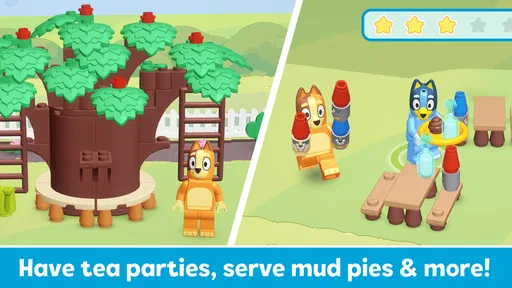
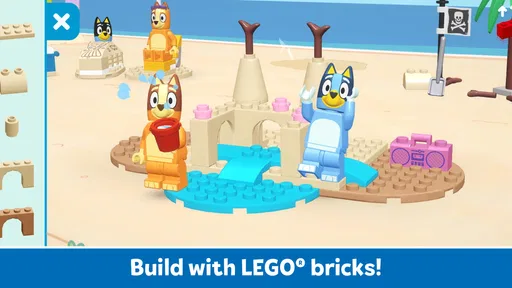
One of the standout features of the LEGO® Bluey app is the building mode. You get to choose from a plethora of blocks and characters to create your own scenes. The app does a fantastic job of simulating the experience of playing with physical LEGO bricks, with satisfying clicks and snaps that make each creation feel tangible.
For someone who loves to unleash their creativity, this feature feels like a playground. You can recreate iconic scenes from the show or let your imagination run wild and build something entirely new. The app even includes little quests and challenges to inspire your creativity, making it both fun and rewarding.
Exploring Bluey's World
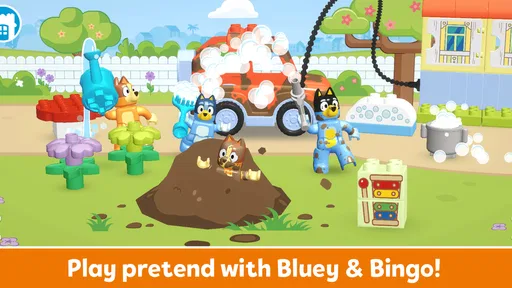
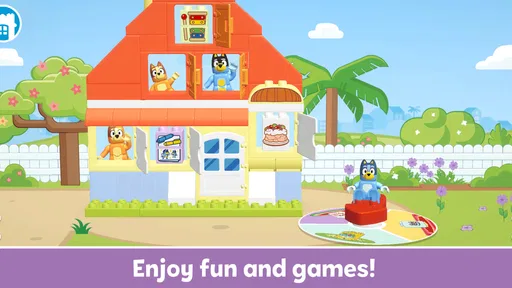
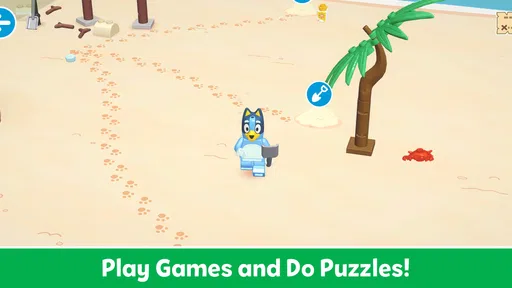
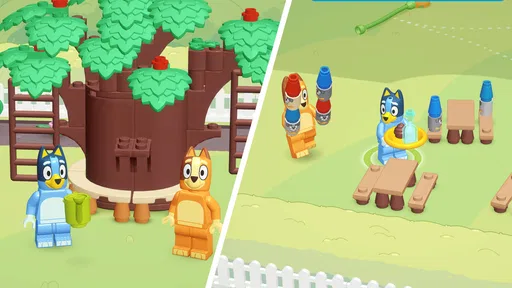
What's a Bluey app without the chance to explore her world? The app offers beautifully designed digital environments that capture the essence of the show. From Bluey’s house to her school, each scene is meticulously crafted with vibrant colors and charming details.
As you explore, you’ll find interactive elements that bring the scenes to life. Tap on different objects to see them move or make sounds, and watch as the characters interact with their surroundings. It's these little touches that make the app feel so immersive and engaging.
Interactive Fun
The app is packed with mini-games and activities that keep you coming back for more. Whether it’s solving puzzles, participating in dance-offs, or going on treasure hunts, there’s always something to do. The games are designed to be fun and educational, promoting problem-solving skills and creativity.
Plus, the app encourages family engagement. With multiplayer options, you can team up with friends or family members to tackle challenges together. It’s a great way to spend quality time and bond over shared adventures in Bluey’s universe.
A Little Something for Everyone
One of the things I love about this app is that it caters to all age groups. Whether you're a kid just discovering Bluey or an adult who’s a lifelong LEGO fan, there’s something here for everyone. The app strikes a perfect balance between simplicity and depth, making it accessible yet endlessly entertaining.
The app also offers regular updates, introducing new content and features to keep the experience fresh. It’s clear that the developers are committed to providing a dynamic and evolving experience for users, which is always a plus in my book.
For anyone checking whether it will run on an older device, the current version is 3.1.0 and the minimum operating-system requirement is 9. I would check the device’s system version before planning a family session, particularly if the tablet is an older hand-me-down. The game is free to install, but its optional purchases mean it is worth treating “free” as a starting point rather than assuming every available item is included at no cost.
How I would make the first session count
Rather than letting a child tap through every option at once, I would give them one small prompt: build a place for a character to visit, or explore a scene and choose one detail to turn into a story. This keeps the first visit manageable and helps reveal whether the child is more drawn to constructing, exploring, or the mini-games. If they lose interest quickly, that is useful information too; the game is not the right activity for every mood, and there is no need to turn a casual try into a long session.
On a device used by adults as well as children, I would keep the game’s purchase boundary separate from the child’s play boundary. A child can be given room to explore while an adult remains responsible for any spending decisions. This is a practical household habit, not a special feature I would expect the game to provide. It also makes it easier to explain why a paid option needs an adult’s decision without interrupting the fun with a surprise discussion later.
Who will get the most from it
The strongest match is a child who already enjoys Bluey, likes making up stories, and is comfortable using a touchscreen with some guidance. It can also be a pleasant shared activity for a caregiver who wants to join in without needing to set up a separate craft project. The setting supplies a familiar starting point, while building and exploration give the child something to do with that familiarity.
I would be more cautious if the child is looking for a completely open-ended digital construction tool, a game with a strong progression challenge, or a lesson organized around a clear school subject. This is best approached as character-led creative entertainment with educational value in the broad sense of encouraging imaginative choices. Families who prefer screen-free play may get more from physical bricks and Bluey-inspired pretend play, while children who want to make something digitally may find this a convenient alternative for a short session.
Checking its fit before making it a regular activity
The game has an average rating of 4.3 from around 7.3 thousand ratings, with more than a million installs. Those figures suggest it has found a sizable audience, but they cannot tell me whether its style will suit a particular child. I would judge that by watching how the child responds to the first few activities: do they start inventing their own ideas, or are they waiting for a more explicit goal? That difference matters more than popularity when deciding whether to keep it on a shared device.
Its Everyone age rating is reassuring as a broad starting point, but I would still preview the game and supervise younger children in the way I normally would with any app. On a family tablet, it also helps to make clear which person is responsible for device settings and purchases. Those simple boundaries reduce friction and let the child focus on play rather than account decisions.
In conclusion, the LEGO® Bluey app is a delightful blend of creativity, exploration, and interactive fun. It captures the heart and soul of the Bluey series while offering the engaging play experience that LEGO is known for. Whether you're a fan of the show, a LEGO enthusiast, or just someone looking for a new app to enjoy, this one is definitely worth checking out. So go ahead, give it a try, and let your imagination soar!
Privacy and Permissions
See what permissions an app requests and how it handles your data.
- Wi-Fi connection information
- view Wi-Fi connections
- Other
- view network connections, full network access, prevent device from sleeping, Google Play license check
Verdict
Strengths of LEGO® Bluey
- Engaging for kids with interactive play.
- Bright, colorful graphics enhance experience.
- Simple controls suitable for young users.
- Educational content promotes creativity.
- Regular updates with new features.
Limitations of LEGO® Bluey
- Limited content may bore older kids.
- Requires internet for some features.
- In-app purchases can add up quickly.
- Occasional bugs disrupt gameplay.
- No offline play mode available.
Other Releases by StoryToys
View All
Marvel HQ: Kids Super Hero Fun
Educational4.2

LEGO® DUPLO® Peppa Pig
Educational4.3

Disney Coloring World
Educational4.3

LEGO® DUPLO® World
Educational4.3
Similar Picks in This Category
View All
Little Panda Policeman
BabyBus4.0

Monster Trucks Game for Kids 2
Raz Games4.1

Little Panda's Chinese Recipes
BabyBus4.4

Little Panda's Restaurant
BabyBus4.4

Little Panda's Ice Cream Games
BabyBus4.3

Baby Panda Care
BabyBus3.8
Frequently Asked Questions
What is LEGO® Bluey and how does it work?
LEGO® Bluey is an interactive app that combines the creativity of LEGO building with the beloved characters and stories from the Bluey universe. Users can engage in virtual building challenges, explore iconic locations from the show, and participate in fun activities that enhance both creativity and problem-solving skills. The app provides a safe and educational environment for children.
Is LEGO® Bluey suitable for all age groups?
LEGO® Bluey is primarily designed for children aged 4 to 8, offering age-appropriate content and activities. However, older children and even parents might find enjoyment in the creative building challenges and interactive storytelling. The app emphasizes family-friendly content, making it suitable for a wide audience while focusing on early childhood development.
Does LEGO® Bluey require an internet connection to play?
LEGO® Bluey requires an internet connection for initial download and updates. However, many features of the app can be accessed offline, allowing children to play without constant connectivity. This includes building challenges and some interactive story elements, making it convenient for use during travel or in areas with limited internet access.
Are there in-app purchases in LEGO® Bluey?
LEGO® Bluey offers a selection of free content, but there are optional in-app purchases available. These purchases can unlock additional characters, building sets, and exclusive content. Parents can control these purchases through device settings, ensuring that children have a safe and managed experience while exploring the app's offerings.
How does LEGO® Bluey ensure a safe environment for kids?
LEGO® Bluey prioritizes child safety by adhering to strict privacy policies and offering parental controls. The app does not collect personal data from children and provides a secure environment free from inappropriate content. Parents can monitor and control app usage, ensuring a safe and enjoyable experience for their kids.
Play our best games!


